This week from a customer request, our sheet metal expert Chetan Koniki goes through creating and inserting a Sheet Metal bend table into a SolidWorks part. The whole process is explained, and once it is completed it is automatically saved into your templates and ready to be re-used all the time.
Feel free to suggest next week's video and any comments or questions you have.
Leave comments or send me a message gabriel@cadspace.com.au if you have any questions.
Tuesday, 18 November 2014

Sunday, 26 October 2014
Basics of SolidWorks Linear Pattern
This time round we are just running through the basics of SolidWorks Linear Pattern Feature. It's a fantastic tool that is very intuitive to use and with the always improving interface you can even vary instances of the pattern.
Leave comments or send me a message gabriel@cadspace.com.au if you have any questions.
Leave comments or send me a message gabriel@cadspace.com.au if you have any questions.
Thursday, 16 October 2014
SolidWorks 2015 Launch Day
CADspace held their SolidWorks 2015 launch event on at the Australian brewery this year. The event was extremely well attended by customers and prospects all of whom were all eager to see first-hand what new features and improvements have been crammed into the latest release of SolidWorks
Steve went on to stress the company’s emphasis on customer support and the benefits afforded by his highly qualified and experienced tech support team.
The technical team then did their very best to cover the highlights of over 250 new features and improvements into just a 40 minute presentation. A big ask which caused the session to run over time but no one seemed to mind as they demonstrated improvements in sketching, patterning, assemblies and routing including the new ability to do HVAC ducting and cable trays.

A very popular and well received new feature is the new flattening capability which allows SolidWorks 2015 users to automatically flatten complex surfaces such as those found on seat cushions and footwear to be flattened out ready for cutting with a laser profiling machine.

For more information on all the new capabilities and improvements in SolidWorks 2015 please visit our website www.cadspace.com.au or go directly to SolidWorks 2015 pages here

We would like to thank everyone that came along for joining us and for your participation and we hope you enjoyed the afternoon.
Monday, 6 October 2014
SolidWorks eDrawings Measure Option
Make sure you have this option turned on in your SolidWorks so that you can measure in your eDrawings. Remember that even if you have eDrawings Professional you need to enable this option for it to be available.
If you have any questions feel free to contact gabriel@cadspace.com.au
If you have any questions feel free to contact gabriel@cadspace.com.au
Thursday, 25 September 2014
Customising Shortcut Toolbars in SolidWorks
This time saving shortcut is called "S" key shortcut and this week Ian goes through the process of customising it to have your preferred functions.
Hopefully you start using it and save yourself lots of time.
If you have any questions feel free to contact gabriel@cadspace.com.au
Hopefully you start using it and save yourself lots of time.
If you have any questions feel free to contact gabriel@cadspace.com.au
Tuesday, 16 September 2014


Click Here to Register
Thursday, 4 September 2014
Custom Property Tab Builder
In this video CADspace's application engineer Steve Kinoshita provides instructions on how to setup and use your own Custom Property Tab with SolidWorks' inbuilt builder. This is a great tool to get all users into the right habit of filling in the right information when designing parts and assemblies so that it is available to populate the bill of material seemlessly.
If you have any questions feel free to contact gabriel@cadspace.com.au
If you have any questions feel free to contact gabriel@cadspace.com.au
Thursday, 28 August 2014
SolidWorks Bill of Materials Tips & Tricks
This week Ian shares a few tips and tricks about making the most of SolidWorks Bills of Material functionality. Through the use of custom properties SolidWorks is able to read in the information of each of the components in the assembly and easily tabulate them in the 2D drawing.
Next week will be introducing Custom Property Tab Builder which will streamline your BOM process even more - stay tuned!
If you have any questions feel free to contact me gabriel@cadspace.com.au
Next week will be introducing Custom Property Tab Builder which will streamline your BOM process even more - stay tuned!
If you have any questions feel free to contact me gabriel@cadspace.com.au
Sunday, 24 August 2014
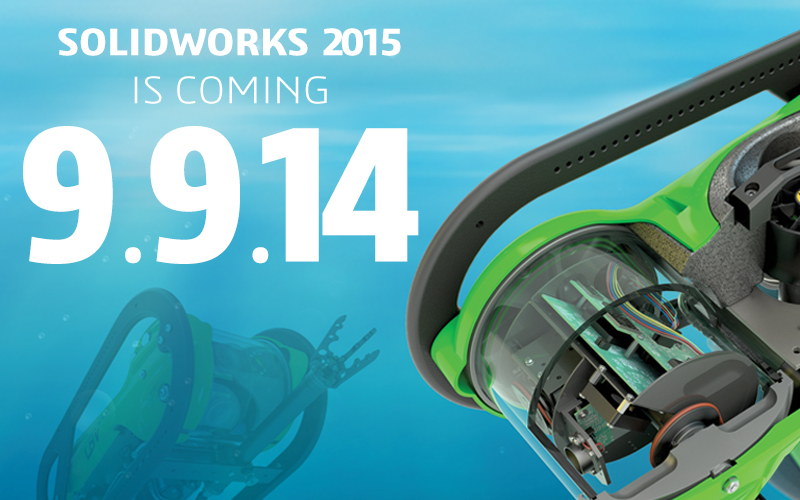
SolidWorks 2015 is coming!
I'm sure we are all eagerly awaiting the new release of SolidWorks 2015. I don't know about you but I am always impatient and curious for details when I know something is about to be released. I have already been teased with some possible new features and time reducing enhancements that I can't wait to see what this new release brings. Every year and every release the excitement is the same and this year is no difference! With a release date of 9th September there is not much longer to wait!
Those of you lucky enough to be using SolidWorks 2015 Beta Version feel free not spoil it for me, and those who haven't had the chance to test out the beta version I would recommend 2 things!
1. Head over to http://blogs.solidworks.com/solidworksblog/2014/08/sneak-peek-15-favorite-features-of-solidworks-2015.html (thanks Michael Lord for the heads up). This will give you a sneak peek of 15 favourite features, released daily, leading up to the launch date.
2. Register for CADspace What's New launch event that will be held in October (details and registration links to be released in early September). We will be going over a major chunk of new enhancements and features and it will be great to see you all there!
If you're interested in attending, drop me a quick line so I can personally tell you the details when they are arranged.
Those of you lucky enough to be using SolidWorks 2015 Beta Version feel free not spoil it for me, and those who haven't had the chance to test out the beta version I would recommend 2 things!
1. Head over to http://blogs.solidworks.com/solidworksblog/2014/08/sneak-peek-15-favorite-features-of-solidworks-2015.html (thanks Michael Lord for the heads up). This will give you a sneak peek of 15 favourite features, released daily, leading up to the launch date.
2. Register for CADspace What's New launch event that will be held in October (details and registration links to be released in early September). We will be going over a major chunk of new enhancements and features and it will be great to see you all there!
If you're interested in attending, drop me a quick line so I can personally tell you the details when they are arranged.
Tuesday, 8 July 2014
Introduction to SolidWorks Simulation Analysis
In this video we see Shigeaki Kinoshita, Application Engineer at CADspace, going through a simple introduction to SolidWorks Simulation.
SolidWorks Simulation includes NAFEMS Benchmark (National Agency for Finite Element Methods and Standards) so that you are able to confirm that it does follow theoretical practices. This video goes through one example from the benchmark but we highly recommend you go through a few more yourself.
If you have any questions about this video or are looking to purchase SolidWorks please contact me at gabriel@cadspace.com.au
SolidWorks Simulation includes NAFEMS Benchmark (National Agency for Finite Element Methods and Standards) so that you are able to confirm that it does follow theoretical practices. This video goes through one example from the benchmark but we highly recommend you go through a few more yourself.
If you have any questions about this video or are looking to purchase SolidWorks please contact me at gabriel@cadspace.com.au
Tuesday, 29 April 2014
For the love of Coffee
When is a coffee machine not a coffee machine? When industrial designer Edin Merdjanic has re-designed it!
Edin (Merdjanic Design) is your typical coffee connoisseur…but one with an interesting twist. He decided he wanted to be hands-on with the coffee making process and use his design and engineering skills to develop new innovations which enhance the coffee experience. “I love coffee, I’ve always been interested in it. It is such a huge industry and it affects almost everyone I come into contact with.
I specialise in coffee machine customisation which involves redesign, repurposing and refurbishing. Whether they are newly arrived machines from overseas or older ones in need of an upgrade, I use SolidWorks 3D CAD software to come up with ways to improve them.” There is a real science to coffee making. To prepare a good coffee relies on a combination of incredibly accurate heating and the direct draw process. I collaborate with a coffee roaster and a technician when I’m working on each machine and I spend a lot of my time redesigning the heat exchange, pistons and direct draw mechanism.
 Because I’m an industrial designer and very focused on aesthetics I also customise the instrument console to make each machine unique. Baristas are very particular about the look and feel of their coffee machines."
To date, Edin’s coffee machines have gone to cafes, restaurants, offices and homes all over Australia. “I’ve been using SolidWorks since 2006. For industrial designers it is THE software package. It is intuitive, so easy to use. I can quickly work up an assembly and know that all of my measurements and contact points are accurate when I keep making adjustments to the design.
Redesigning parts is so simple and takes no time at all. It allows me to quickly draw up and view the various upgrade options I am considering for each coffee machine and select which will work best. Of course, if I want to show my customer a realistic render of the machine to get approval for a new console design I simply produce that from the 3D solid model and email it off."
Edin receives a lot of support from SolidWorks reseller, CADspace (winner of the 2013 SolidWorks Best New VAR in the Asia Pacific Region Award). “Steve Thomas and the team are very professional and incredibly knowledgeable about CAD. They have been working in this field for more than 20 years. They not only understand about design they are also very experienced in manufacturing and the relationship between design and manufacture.
They came out to my business and demonstrated SolidWorks to me to make sure I am getting the most out of it, and they keep in regular contact with me. It’s real peace of mind for me knowing that they are there." !
Edin (Merdjanic Design) is your typical coffee connoisseur…but one with an interesting twist. He decided he wanted to be hands-on with the coffee making process and use his design and engineering skills to develop new innovations which enhance the coffee experience. “I love coffee, I’ve always been interested in it. It is such a huge industry and it affects almost everyone I come into contact with.
I specialise in coffee machine customisation which involves redesign, repurposing and refurbishing. Whether they are newly arrived machines from overseas or older ones in need of an upgrade, I use SolidWorks 3D CAD software to come up with ways to improve them.” There is a real science to coffee making. To prepare a good coffee relies on a combination of incredibly accurate heating and the direct draw process. I collaborate with a coffee roaster and a technician when I’m working on each machine and I spend a lot of my time redesigning the heat exchange, pistons and direct draw mechanism.
To date, Edin’s coffee machines have gone to cafes, restaurants, offices and homes all over Australia. “I’ve been using SolidWorks since 2006. For industrial designers it is THE software package. It is intuitive, so easy to use. I can quickly work up an assembly and know that all of my measurements and contact points are accurate when I keep making adjustments to the design.
Redesigning parts is so simple and takes no time at all. It allows me to quickly draw up and view the various upgrade options I am considering for each coffee machine and select which will work best. Of course, if I want to show my customer a realistic render of the machine to get approval for a new console design I simply produce that from the 3D solid model and email it off."
Edin receives a lot of support from SolidWorks reseller, CADspace (winner of the 2013 SolidWorks Best New VAR in the Asia Pacific Region Award). “Steve Thomas and the team are very professional and incredibly knowledgeable about CAD. They have been working in this field for more than 20 years. They not only understand about design they are also very experienced in manufacturing and the relationship between design and manufacture.
They came out to my business and demonstrated SolidWorks to me to make sure I am getting the most out of it, and they keep in regular contact with me. It’s real peace of mind for me knowing that they are there." !
Thursday, 10 April 2014
Modelling a Wood Screw in SolidWorks
This week we have Ian Whitwood from CADspace showing us how to create a wood screw in SolidWorks. The thread blends in nicely with the core and the tapered tip of the screw.
Feel free to contact me if you would like the sample file to tinker around with.
If you have any questions about this video or are looking to purchase SolidWorks please contact me at gabriel@cadspace.com.au
Feel free to contact me if you would like the sample file to tinker around with.
If you have any questions about this video or are looking to purchase SolidWorks please contact me at gabriel@cadspace.com.au
Thursday, 27 March 2014
SolidWorks Modelling & 3D Printing
This video goes through the process I took to draw a clip I broke from my car in SolidWorks and then output it to STL so that I can 3D print it on my UP Mini - http://3dprintingsystems.com/products/up-mini-3d-printer/
If you have any questions about this video or are looking to purchase SolidWorks please contact me at gabriel@cadspace.com.au
If you have any questions about this video or are looking to purchase SolidWorks please contact me at gabriel@cadspace.com.au
Friday, 14 March 2014
Create render of your product in situ with SolidWorks
This video will show you how you can add and edit appearances to create a realistic render in-situ of your product. I go through advanced appearance settings, adding directional lighting, camera settings and the photo view settings.
If you have any questions about this video or are looking to purchase SolidWorks please contact me at gabriel@cadspace.com.au
If you have any questions about this video or are looking to purchase SolidWorks please contact me at gabriel@cadspace.com.au
Tuesday, 25 February 2014
Square to Round Duct in SolidWorks Sheet Metal
Quick little tip on how to create a square to round ducts in SolidWorks. There are many ways of making it, this is just one way. With this model you can use and re-use it and it should become part of your library.
If you have any questions about this video or are looking to purchase SolidWorks please contact me at gabriel@cadspace.com.au
If you have any questions about this video or are looking to purchase SolidWorks please contact me at gabriel@cadspace.com.au
Wednesday, 19 February 2014
Creating your own SolidWorks Weldment Profiles
In this video you will be see how to import a DXF/DWG file in SolidWorks and convert that into a Weldment Profile. This is the same process to create your own extrusions if you draw them within a SolidWorks sketch.
Feel free to contact me if you have any questions.
If you have any questions about this video or are looking to purchase SolidWorks please contact me at gabriel@cadspace.com.au
Feel free to contact me if you have any questions.
If you have any questions about this video or are looking to purchase SolidWorks please contact me at gabriel@cadspace.com.au
Monday, 10 February 2014
How to setup your SolidWorks Drawing Template
Make your drawings more professional by setting up your company drawing templates!
This quick video will show you how you can create your own SolidWorks Drawing Templates. You can see how to add your own company logo, setup pre-defined views, and how to correctly link up the title block details also.
If you have any questions about this video or are looking to purchase SolidWorks please contact me at gabriel@cadspace.com.au
This quick video will show you how you can create your own SolidWorks Drawing Templates. You can see how to add your own company logo, setup pre-defined views, and how to correctly link up the title block details also.
If you have any questions about this video or are looking to purchase SolidWorks please contact me at gabriel@cadspace.com.au
Tuesday, 28 January 2014
SolidWorks Autotrace
This video demonstrates the capabilities of Autotrace in SolidWorks, how to turn it on, use it and some new features in SolidWorks 2014 Sketch Picture.
If you have any questions about this video or are looking to purchase SolidWorks please contact me at gabriel@cadspace.com.au
If you have any questions about this video or are looking to purchase SolidWorks please contact me at gabriel@cadspace.com.au
Tuesday, 21 January 2014
SolidWorks Names CADspace Best VAR in Asia Pacific South
CADspace - which last year was selected by Solidworks to represent them in Australia - is celebrating its stellar start after being named the Best New VAR in the Asia Pacific South region. The prestigious international award was presented to CADspace founder and managing director Steve Thomas by SolidWorks ANZ Territory sales manager Chris Evens.
 The global 3D CAD/CAM software developer, which has more than two million users around the world, announced the addition of CADspace to their distribution channel in mid-2013 following an exhaustive review process. Steve believes the quick success of CADspace has come from a passionate and dedicated team with an abundance of industry know-how and good old fashioned customer service,
 “We have been involved in the CAD industry for more than two decades and over that time we’ve developed a comprehensive understanding of Design To Manufacture and Product Lifecycle Management.
We have customers in mechanical design, engineering services, manufacturing and tool making across many industries including automotive, aerospace, agriculture, energy, marine, motor sport and transport.
We are passionate about helping local companies to be as competitive and as profitable as possible." "We live and work by an ethos which means every action, every decision and every conversation is influenced by our core values.
They include being accountable, communicating clearly, honesty in all of our dealings, thinking outside the box, focusing on clients’ challenges, respecting our clients, a strong work ethic, being enthusiastic in all we do and having a positive can-do attitude."
Sunday, 19 January 2014
Welcome to a brand new year
2014 has kicked of with a bang for us here at CADspace. During December we welcomed a host of new customers an now in January we are seeing even more. CADspace offers top quality service and support from our friendly team and this was recognised by Solidworks Asia Pacific region who awarded us "Best New VAR" for 2013.
Please keep dropping into our blog as we will be posting regular updates including product news, staff appointments, hints and tips and much more.
Subscribe to:
Comments (Atom)